


Operator terminal
Start, pause with a reason and finish with good and scrap quantities. Badge or PIN login on a tablet next to the machine.
Kesoniti Extend · Shop-floor execution and OEE
Production execution for discrete manufacturing, connected to your ERP.
An operator terminal at every work center, live OEE from what really happened, and andon calls that reach the right person. Production orders, work centers and shifts come from your ERP; goods movements go back to it.
What it fixes
What it does
Start, pause with a reason and finish with good and scrap quantities. Badge or PIN login on a tablet next to the machine.
Reason trees grouped into loss classes, taken from your ERP catalogs where they exist. Split and correct stops after the fact.
Availability, performance and quality per work center and shift, calculated from recorded events, not the plan.
Calls from the line, browser and phone notifications, Microsoft Teams channels and tiered escalation if nobody responds.
First-piece approval, inspection points by material and a defect Pareto that quality can act on the same day.
TPM checklists that can block the start of work, and batch genealogy across production steps.
KesoFloor up close
At the machine
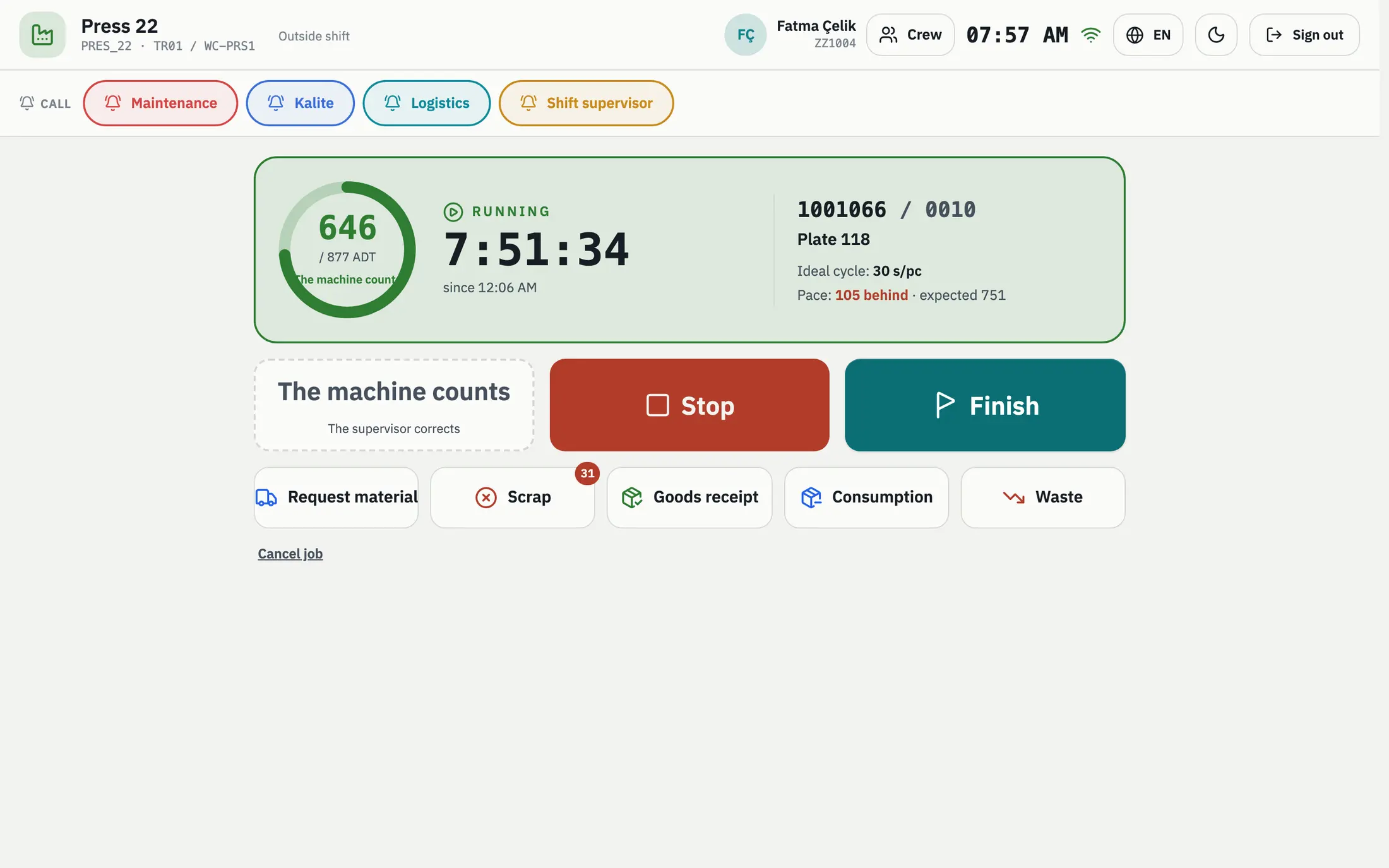
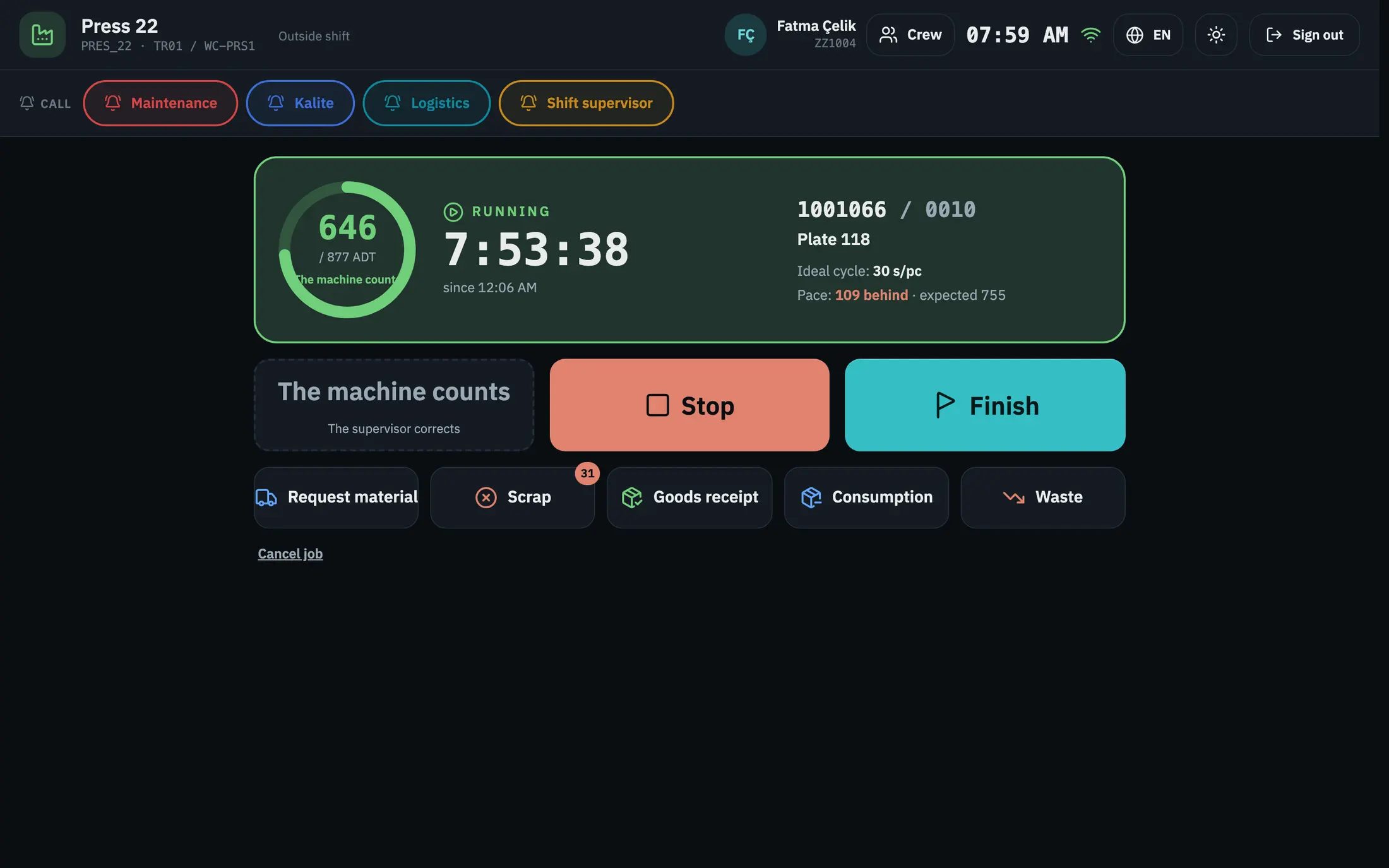
The operator starts, stops and finishes work on a tablet next to the machine and sees the count against the target at a glance.
For the supervisor
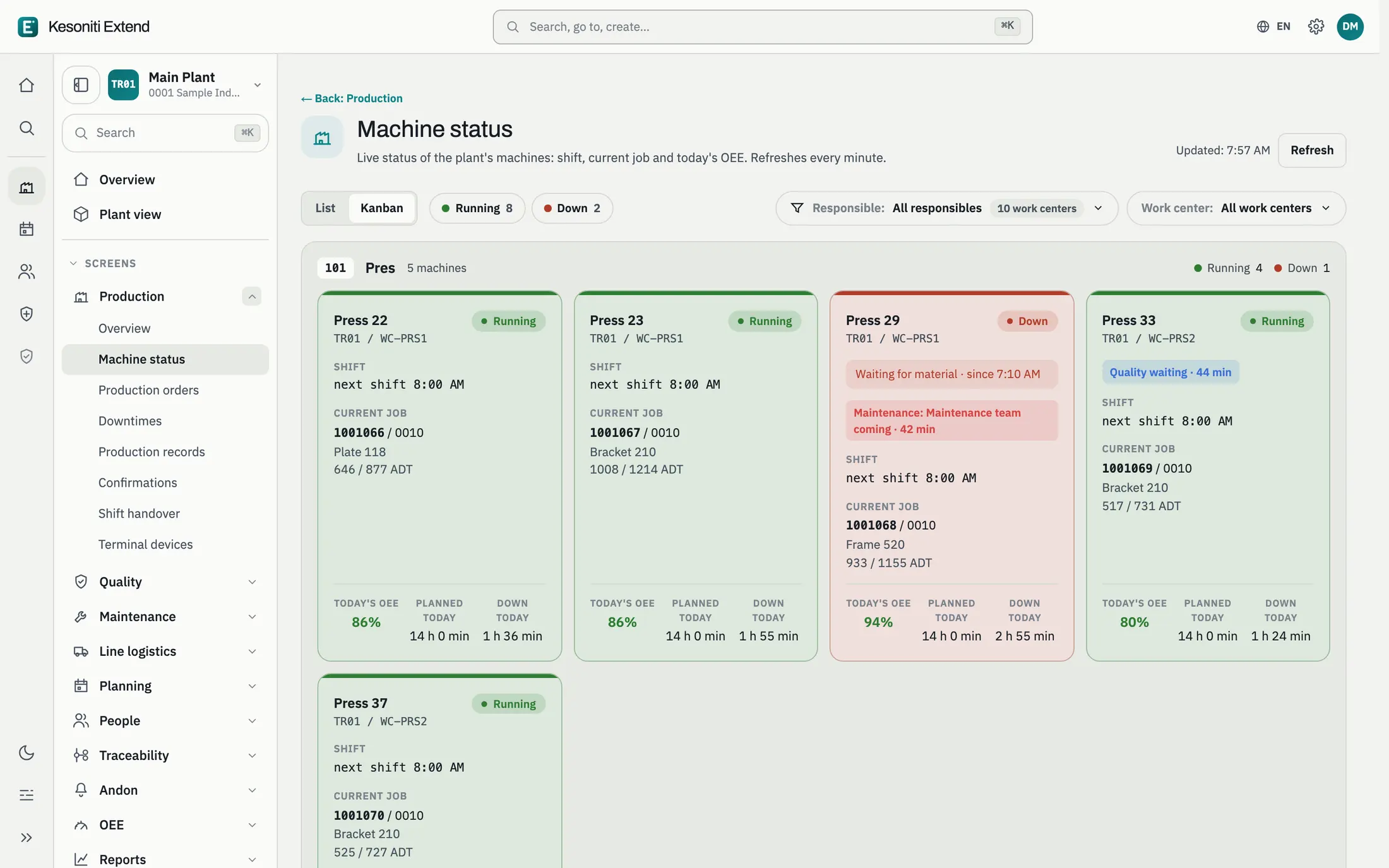
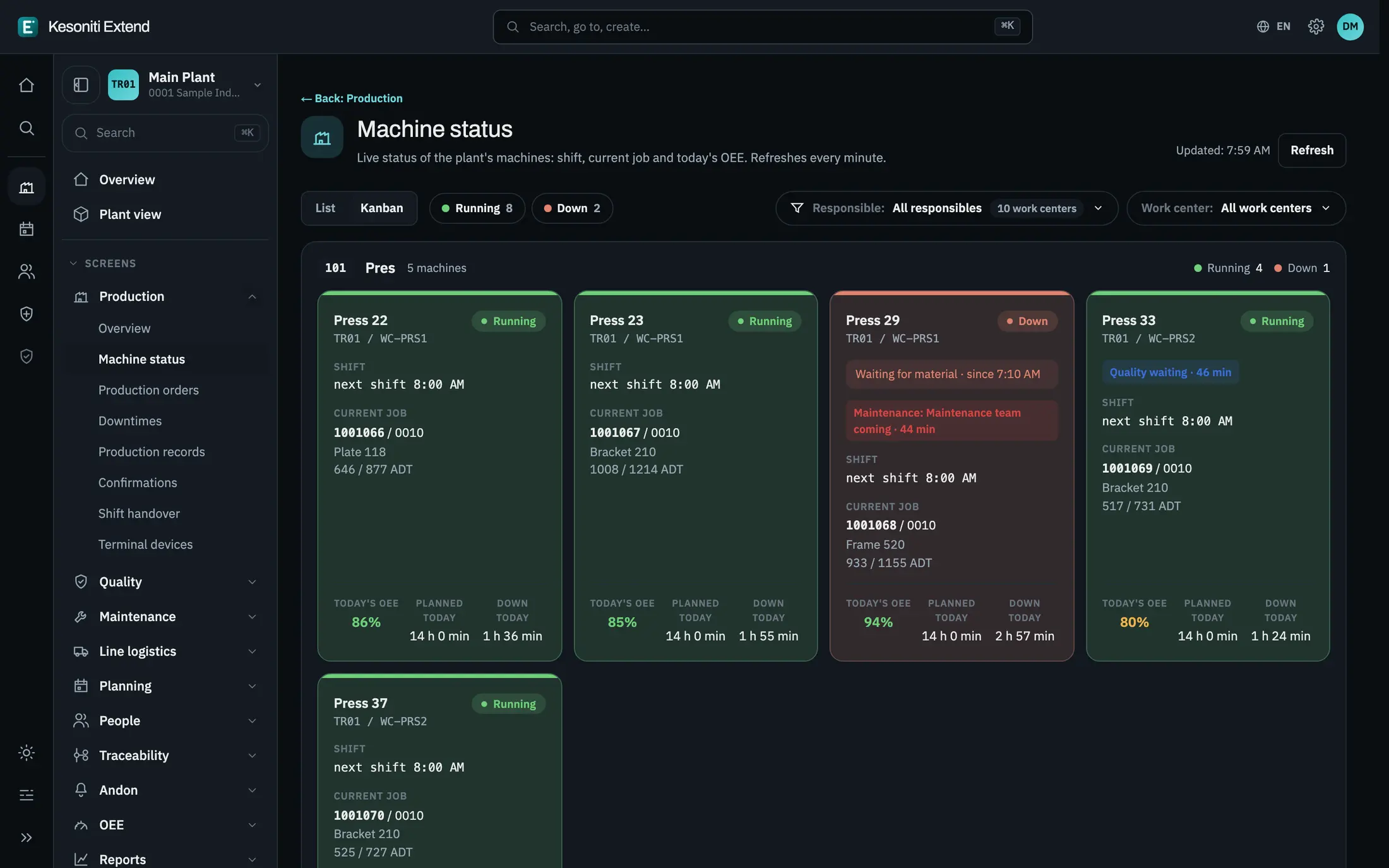
Every machine of the plant on one board: running or down, the order in work, the shift and today’s OEE, refreshed every minute.
For maintenance and production
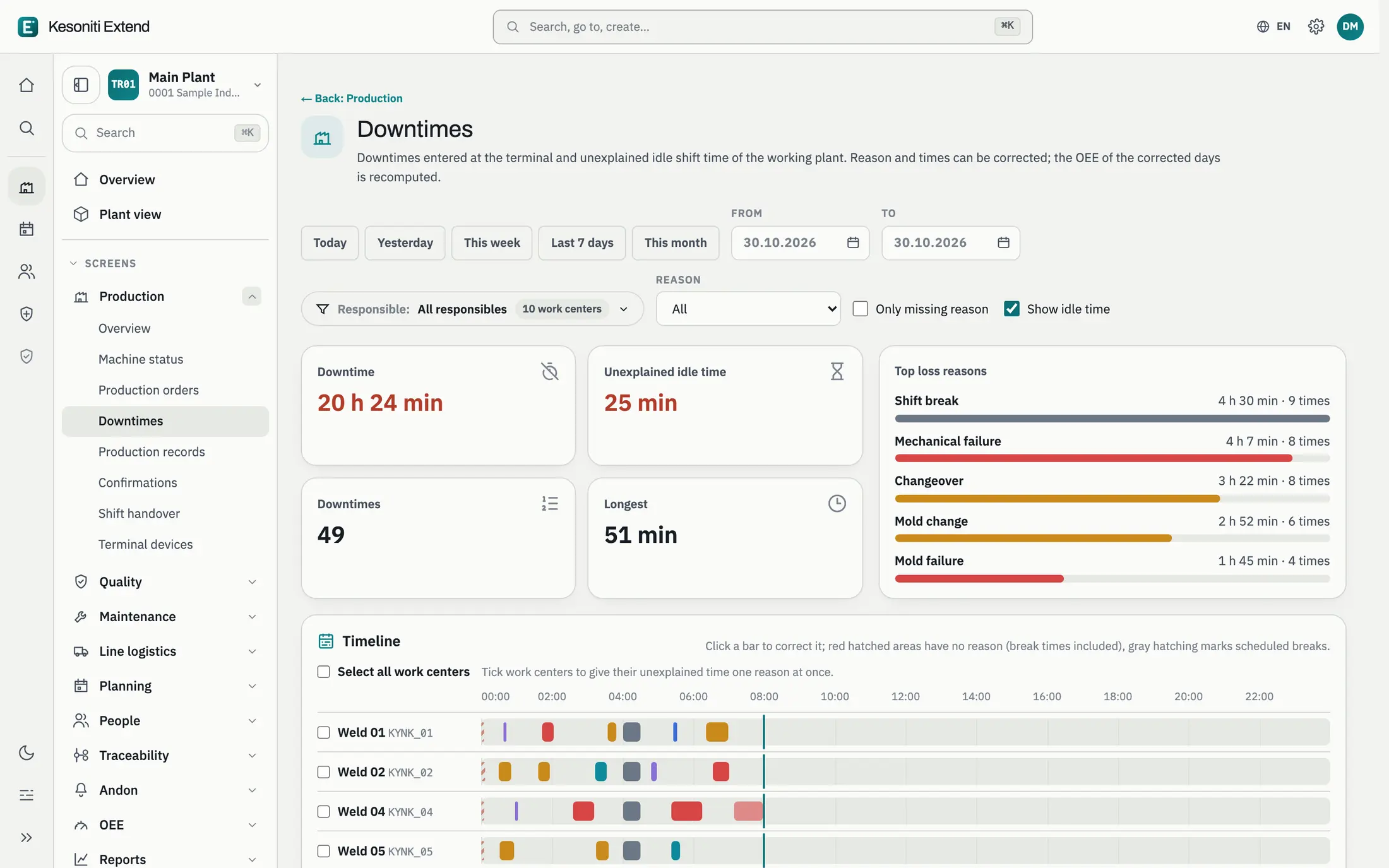
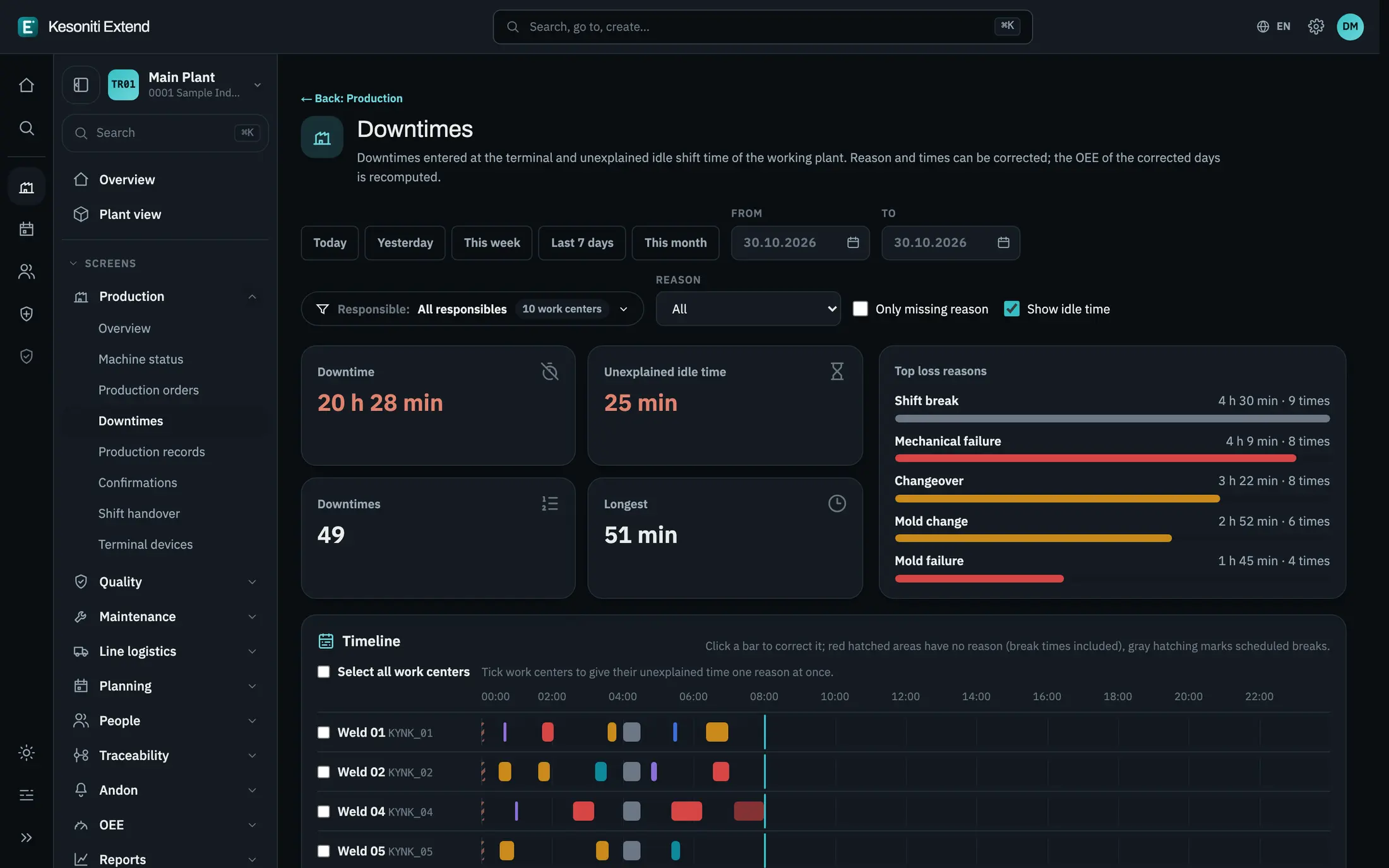
Every stop of every machine on a timeline, colored by loss class. Gaps without a reason stand out and can be fixed in bulk.
For management
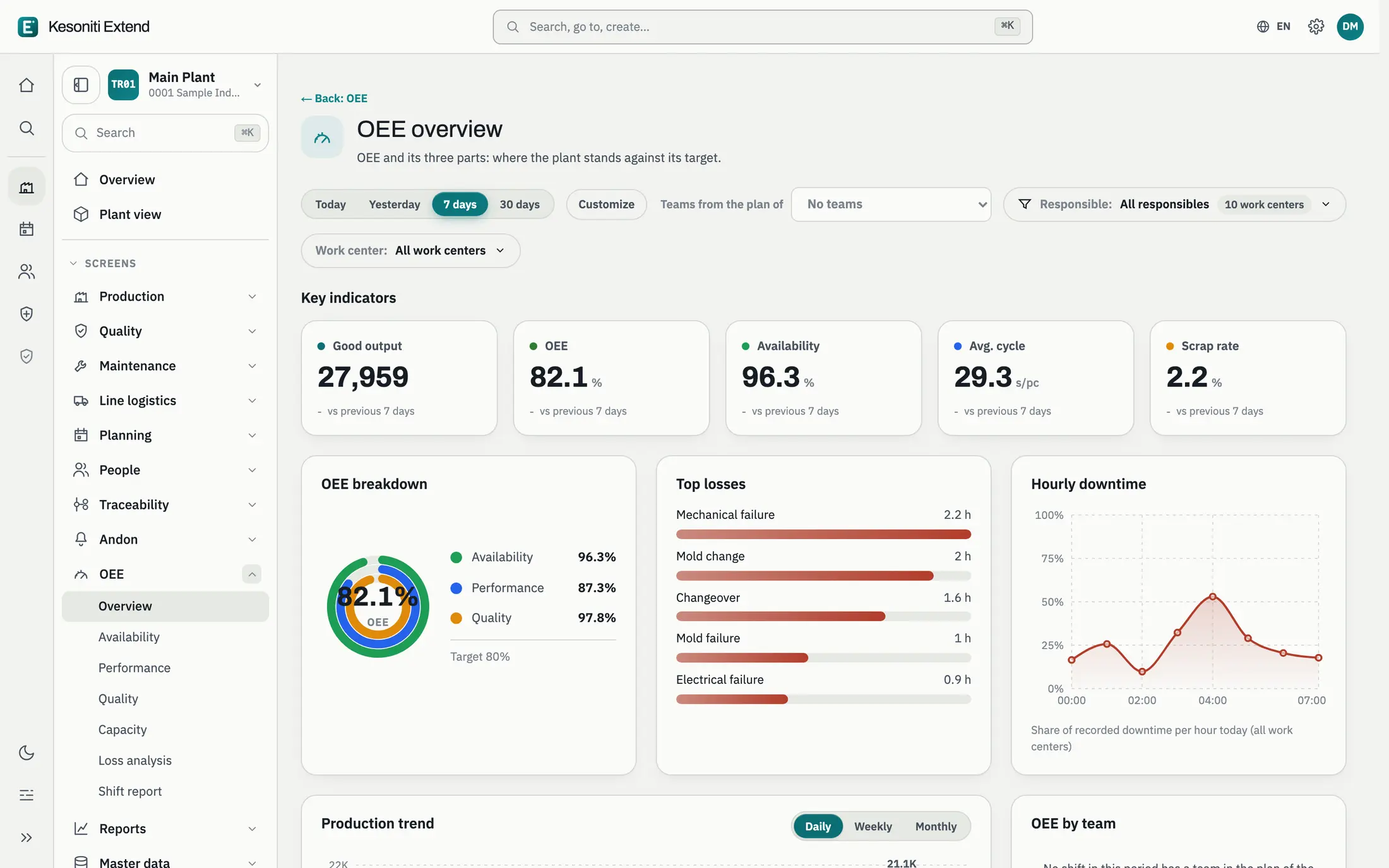
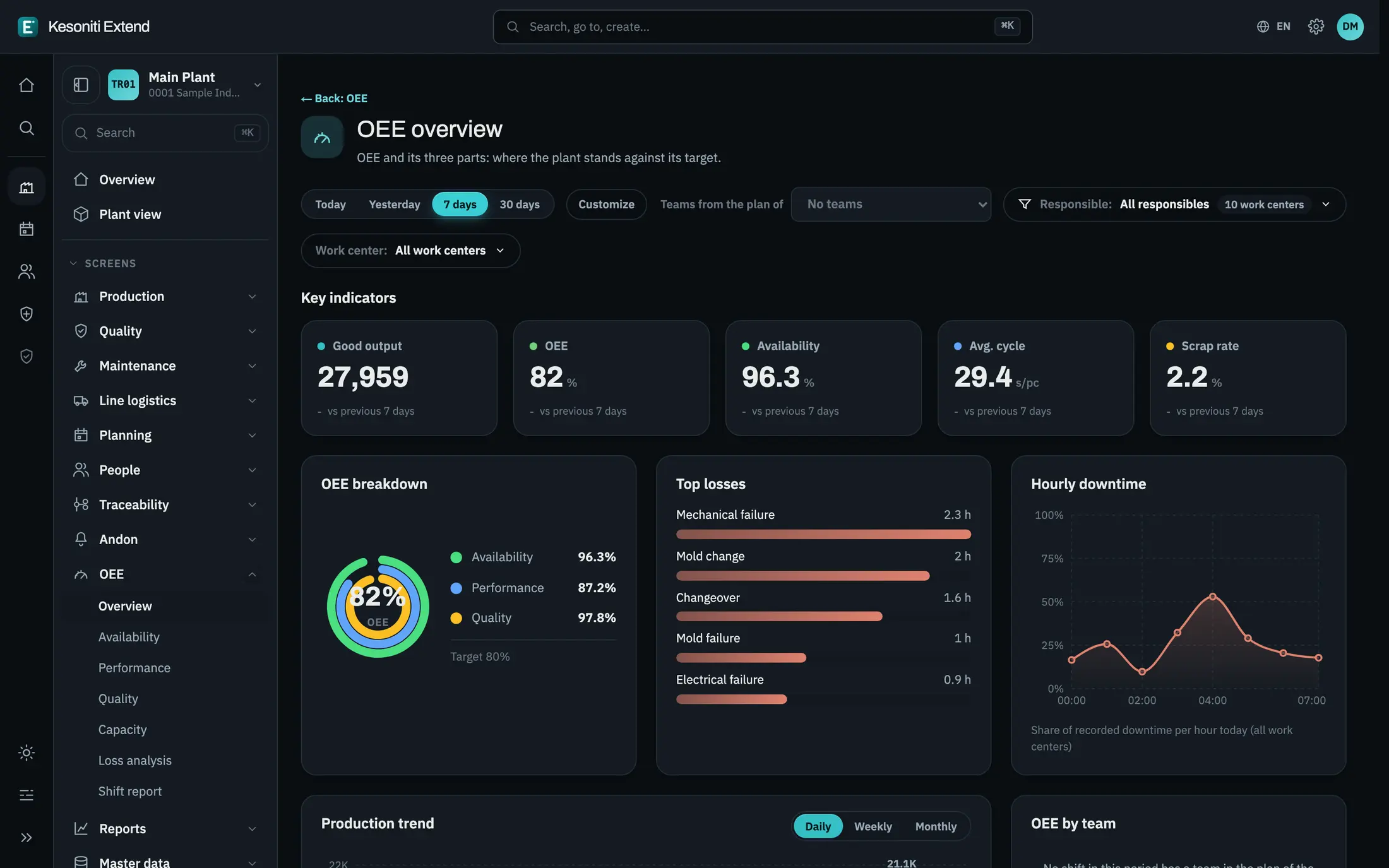
OEE and its three components against the target, with the biggest losses, hourly downtime and the production trend.
For continuous improvement
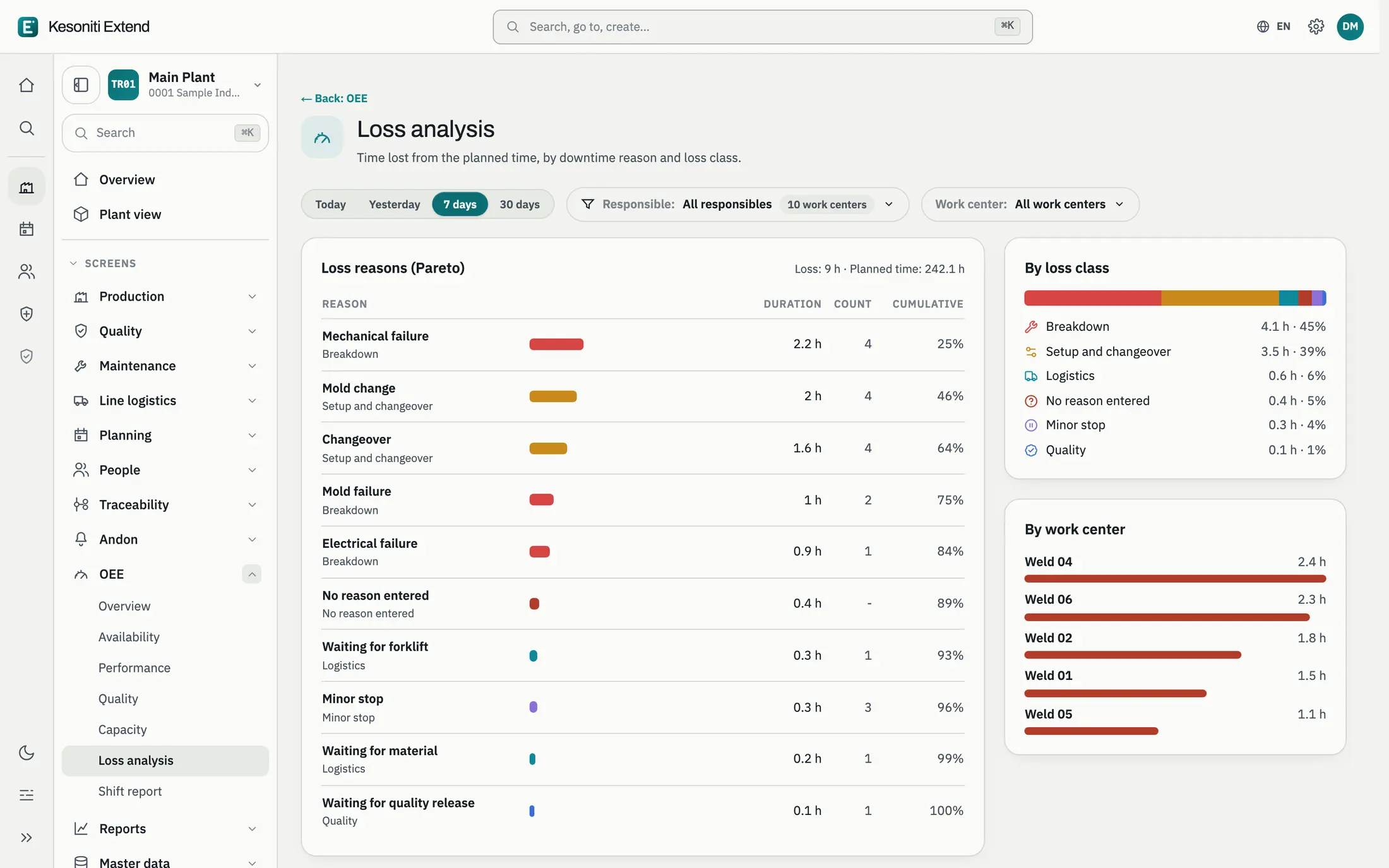
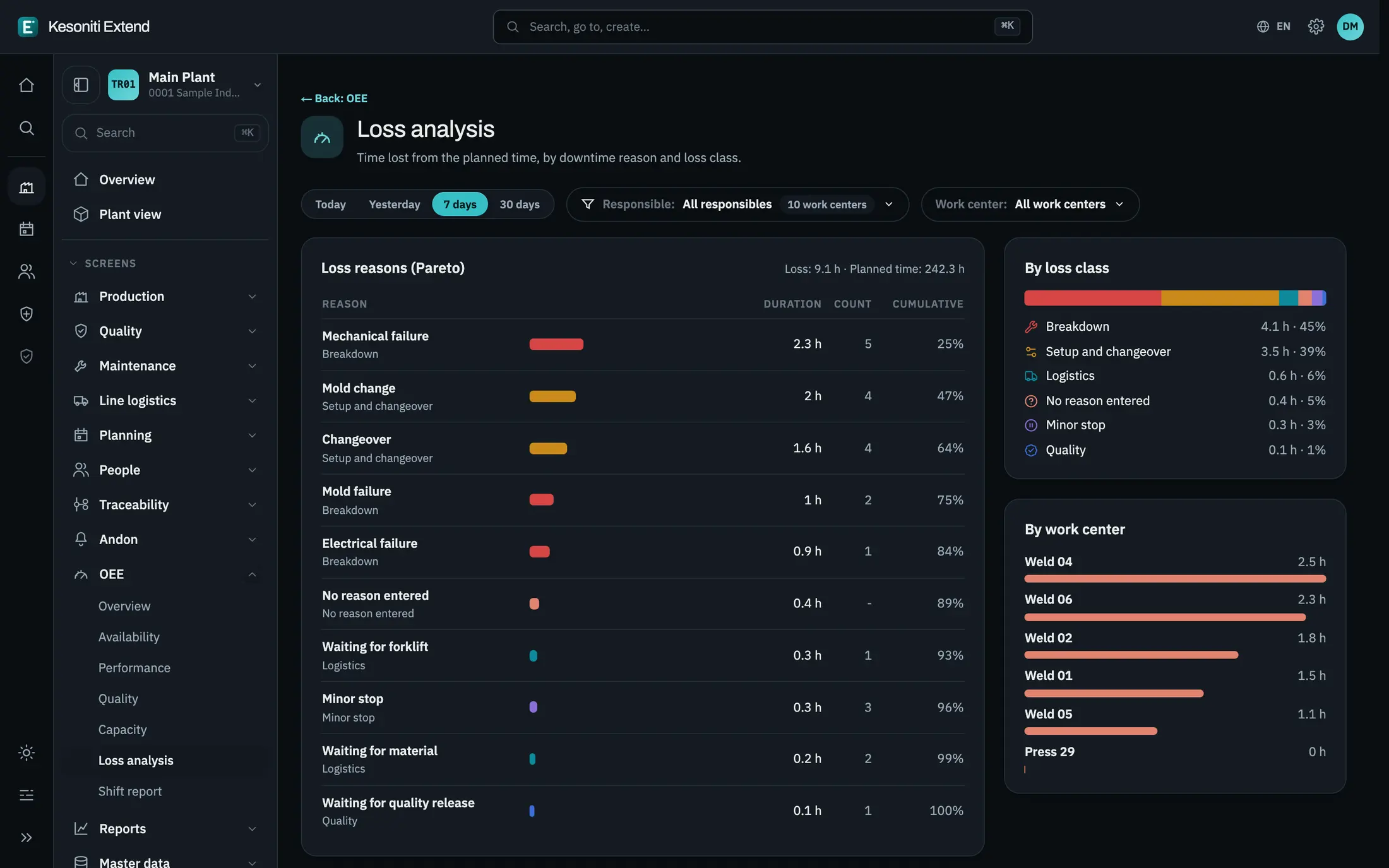
A Pareto of lost time by reason, by loss class and by machine: the place to start the next improvement.
For support teams
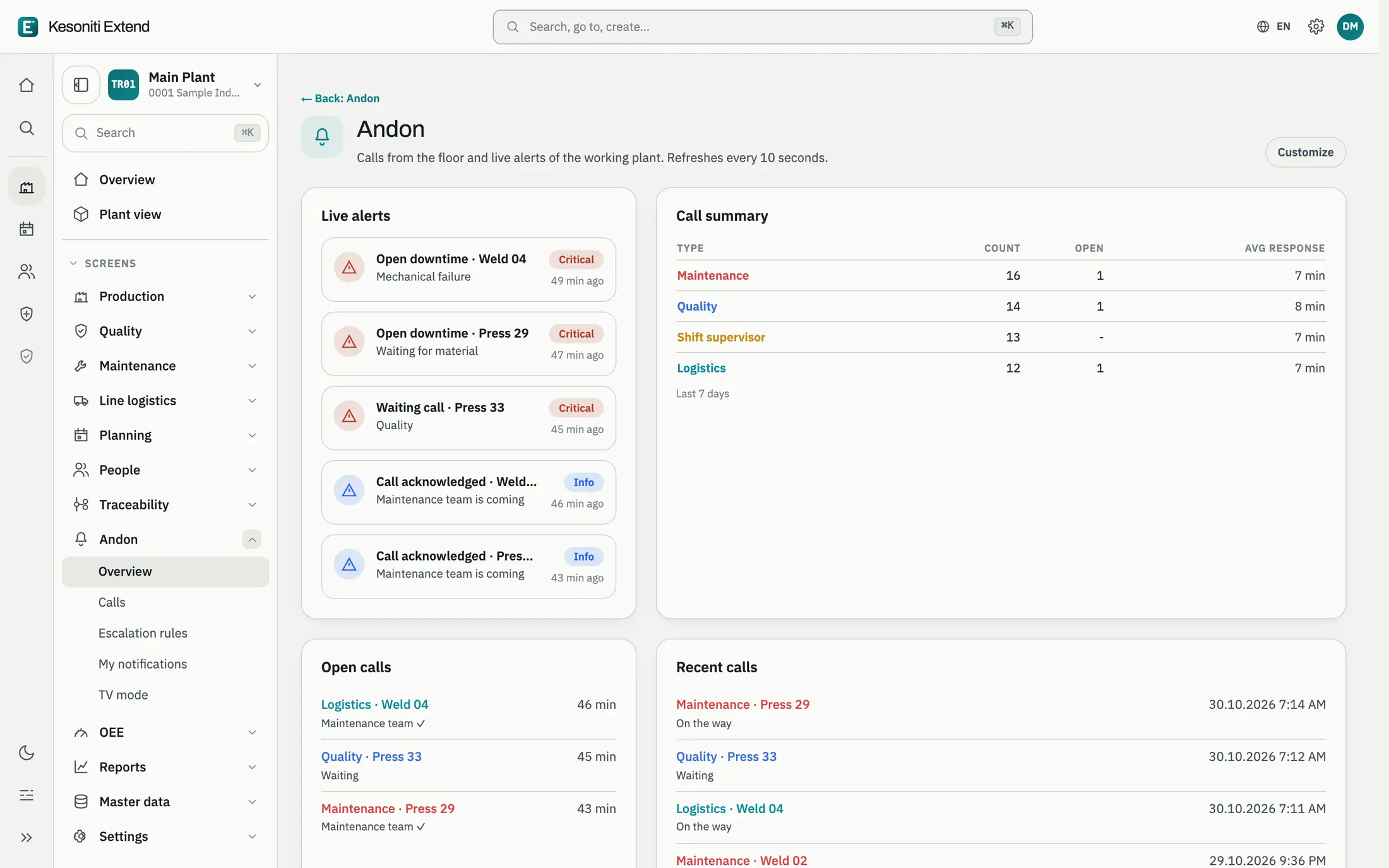
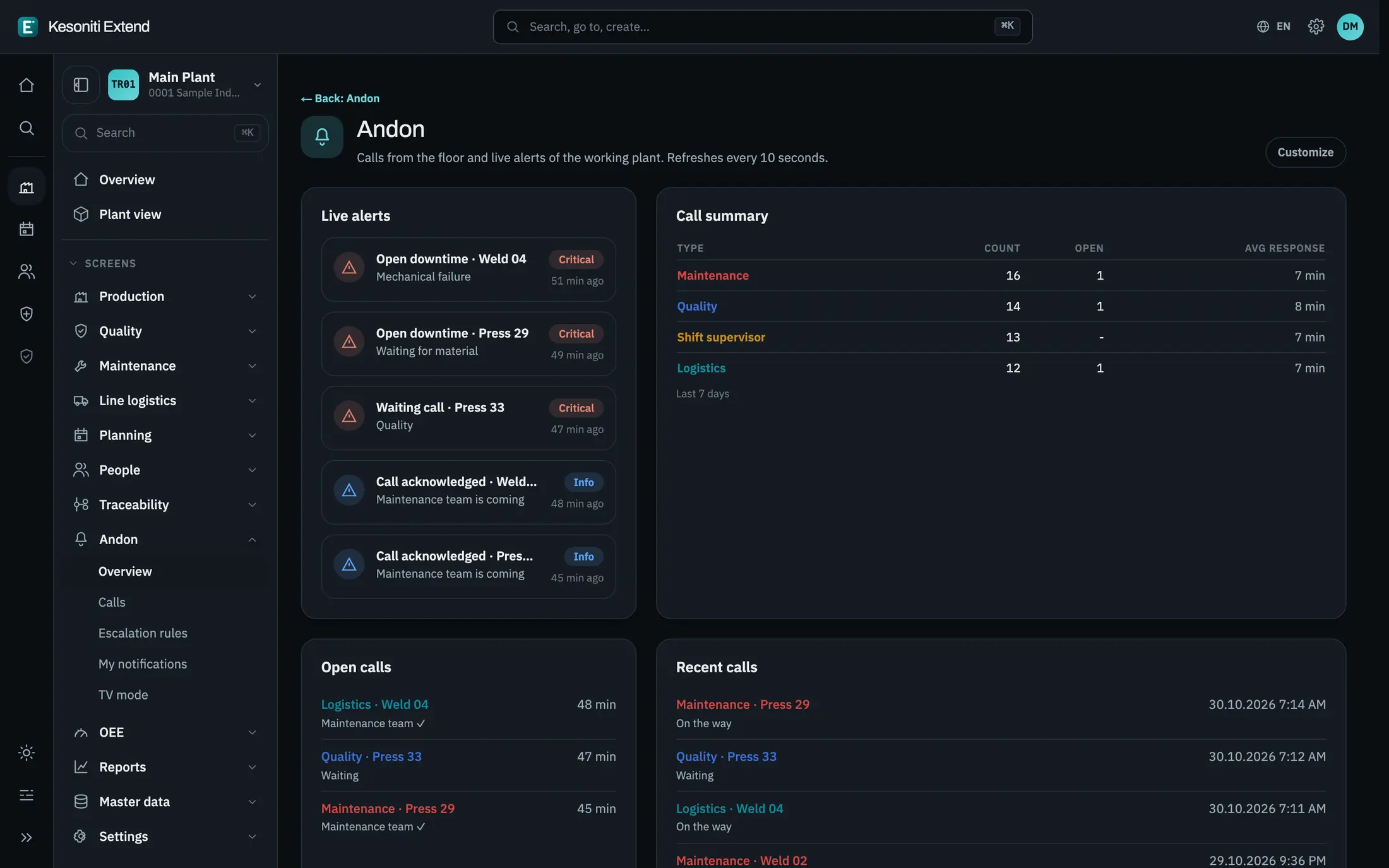
Open calls from the line with their waiting time, who is on the way and how the escalation stands.
From the machine to the ERP
Signals leave the machine, pass the PLC and the edge agent, become production data in KesoFloor and reach the ERP, the other apps and the people who need to act.
For logistics and quality
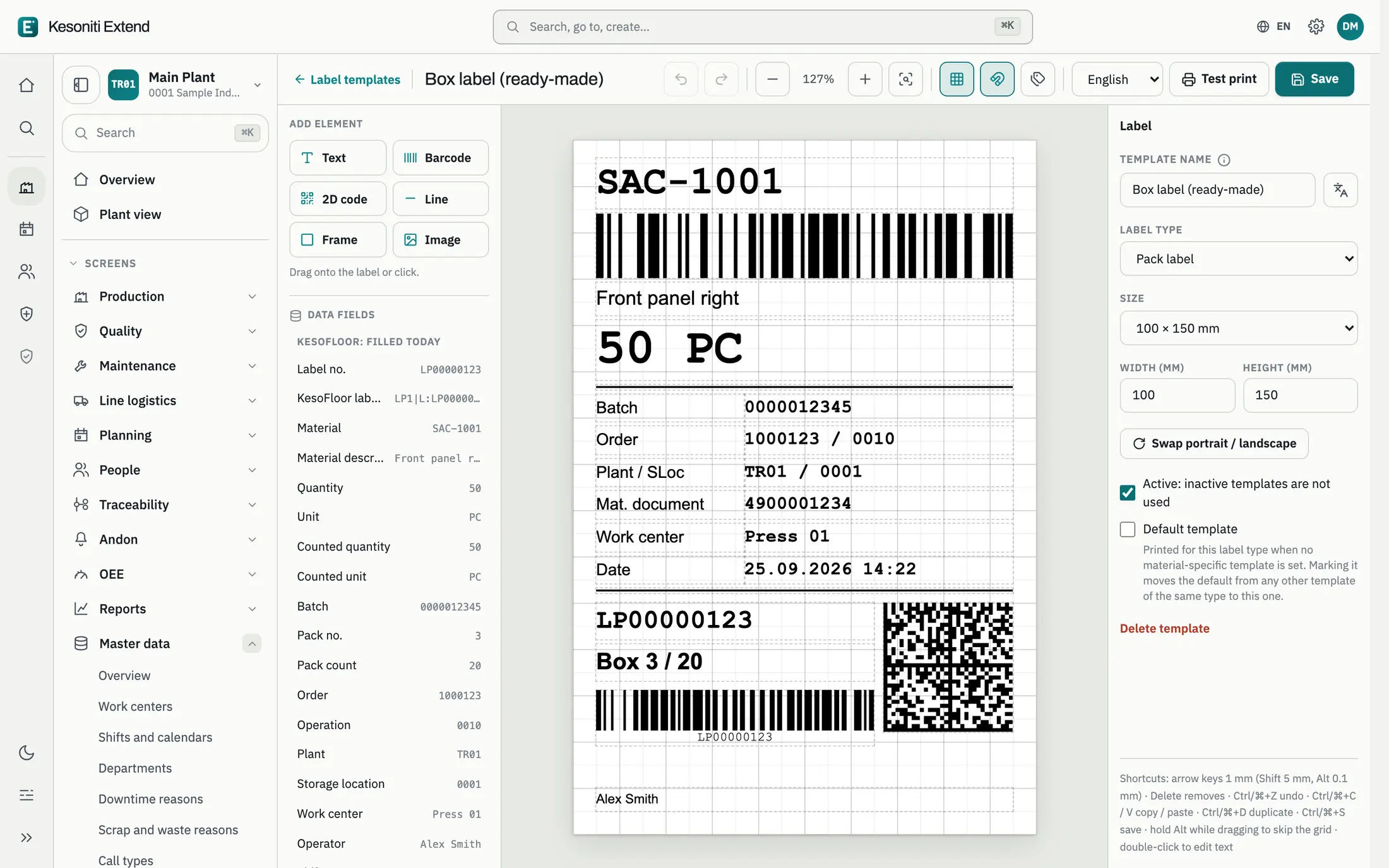
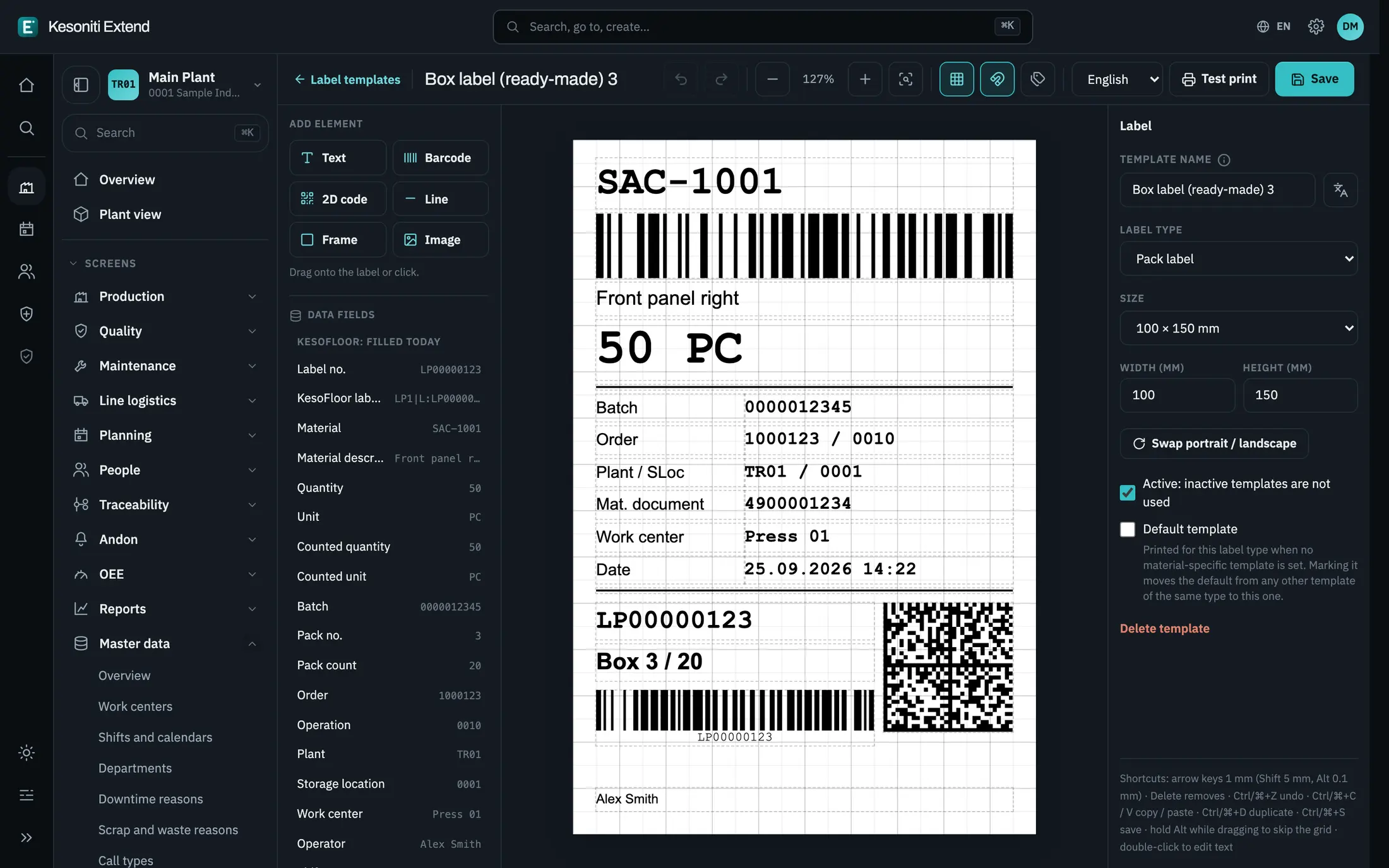
Design box and pallet labels in the app: text, barcodes, 2D codes, lines and logos, filled from the order and the goods receipt.
Screens
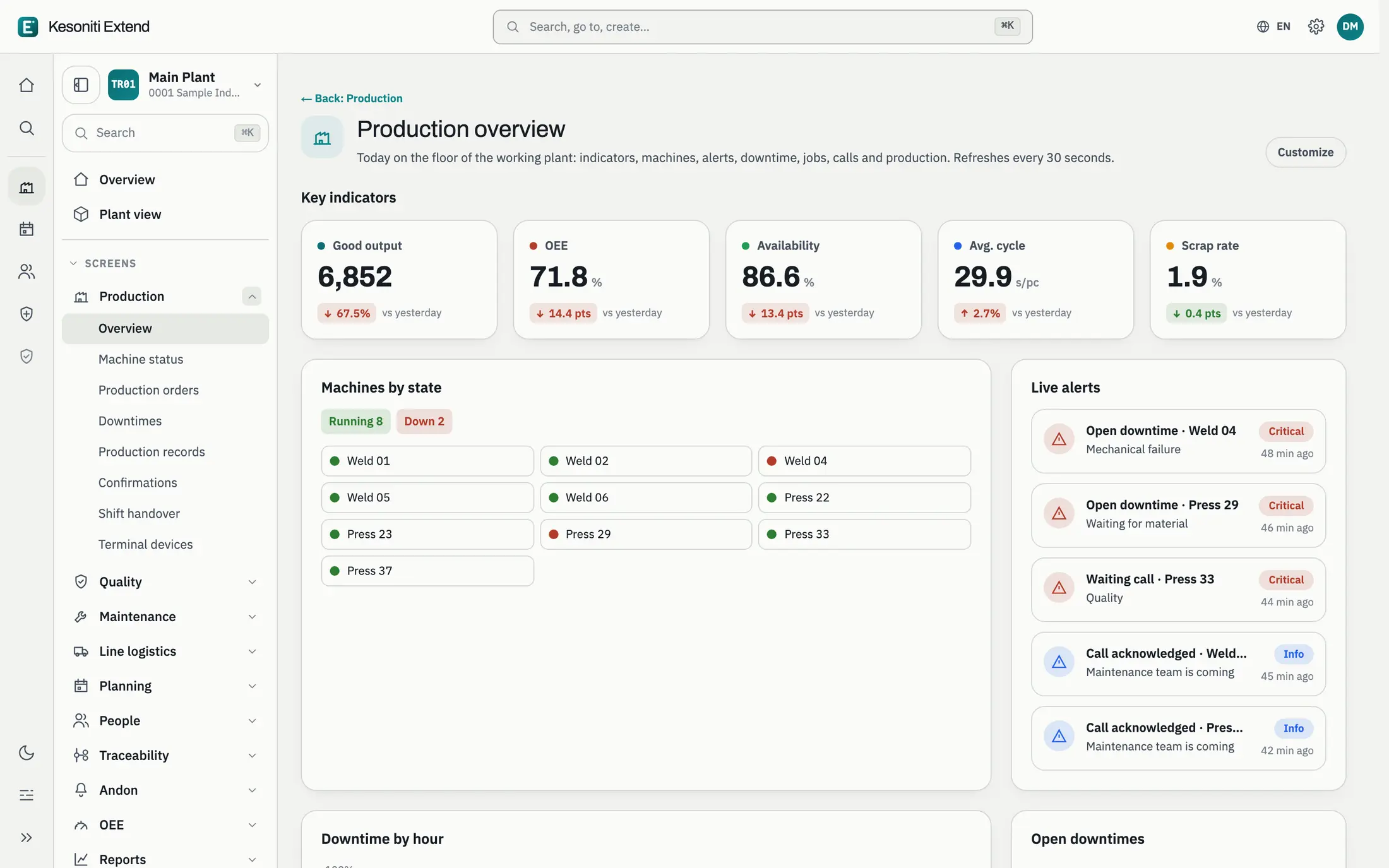
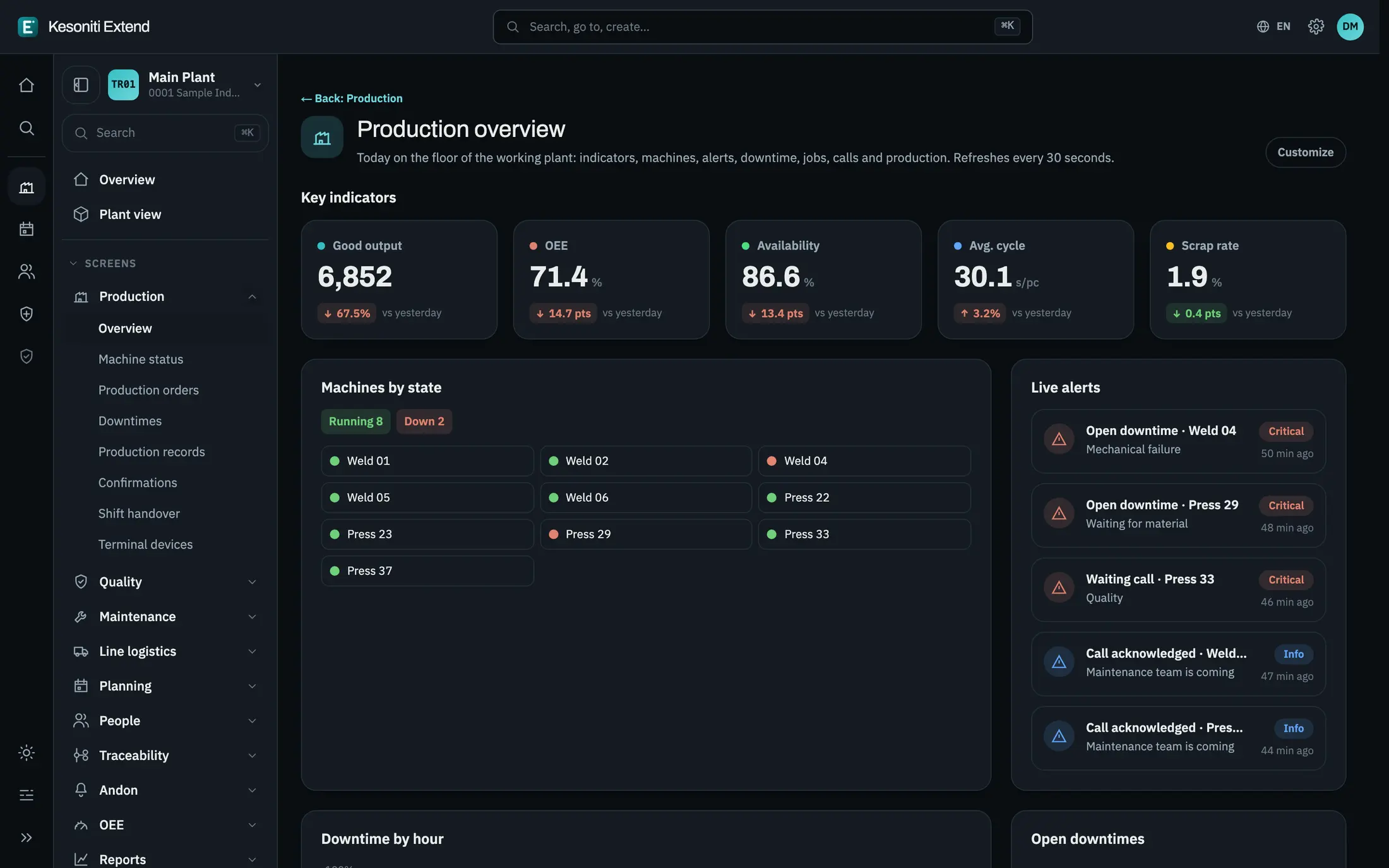
The plant today on one page: key figures against yesterday, machines by state and live alerts.
How it works with your ERP
Work centers, capacities, factory calendar and released production order operations.
Operators work on the terminal; every start, stop and quantity is time-stamped.
Goods receipts and component consumption are posted as they happen.
With SAP S/4HANA, it uses
Member of the SAP® PartnerEdge® open ecosystem. SAP and S/4HANA are trademarks or registered trademarks of SAP SE in Germany and other countries.
Availability
Early access. We are onboarding a limited number of pilot plants.
Other products